A guest post by Ira Horowitz
Nonprofit marketers are often asked to do more with less. Budgets are tight, timelines are short, and expectations for growth never slow down. Yet marketing remains essential—without visibility, even the strongest mission can struggle to gain support.
The good news is that effective nonprofit marketing doesn’t always require expensive software or agencies. Many of the most impactful tools available today are free or heavily discounted for nonprofits. What matters most is knowing which resources to use and how to apply them strategically to reach your supporters.
The nonprofit marketing resources below can help you reach new audiences, strengthen donor relationships, and measure results without stretching your budget. When paired with a clear plan, these tools can support sustainable growth over time.
1. Canva for Nonprofits: Graphic Design
Strong visuals are essential for nonprofit marketing. Email campaigns, social media posts, and landing pages all perform better when they look polished and consistent. Unfortunately, professional design software and stock photos can be costly.
That’s where Canva for Nonprofits comes in. Canva offers eligible nonprofits free access to its premium features, including templates, brand controls, and a large image library.
Canva won’t replace a professional designer for major campaigns or rebrands. But it’s incredibly useful for everyday marketing needs, especially for small teams or volunteer-driven organizations.
Here’s why Canva is valuable for nonprofit marketers:
- Enables quick creation of email headers, social graphics, and flyers
- Helps maintain visual consistency across campaigns
- Reduces reliance on outside vendors for small design tasks
To make the most of your free Canva tools, follow these tips:
- Set up the Brand Kit. Upload your logo, fonts, and hex colors once so everyone stays on brand.
- Create shared templates. This allows staff or volunteers to produce assets without starting from scratch.
- Design with email in mind. Clean, mobile-friendly visuals support stronger email performance—a key channel for donor retention.
Today, a nonprofit’s credibility is often judged by its visual presence. By leveraging design tools like Canva for Nonprofits, you ensure that every touchpoint looks professional and trustworthy.
2. The Google Ad Grant: Advertising
The Google Ad Grant is one of the most valuable free marketing resources available to nonprofits. Eligible organizations receive up to $10,000 per month in in-kind search advertising, allowing them to promote programs, campaigns, and resources directly in Google search results.
Unlike paid social ads, Google search ads reach people who are already looking for solutions related to your mission. That makes the Ad Grant especially powerful for driving high-intent traffic—people searching for help, information, or ways to get involved.
To be eligible for the Google Ad Grant, you must:
- Hold valid charitable status (e.g., 501(c)(3) status in the U.S.)
- Maintain a functional website with clear mission content
- Agree to Google’s nondiscrimination and donation receipt policies
Once you apply and are approved for the program, you can set your ad campaigns up for success by following best practices, such as:
- Use targeting intentionally. Focus ads on specific programs or geographic areas. Align your ads with specific user searches like “food pantries near me” or “animal adoption” to focus on concrete programs and local service areas.
- Write keyword-rich headlines. Your headline is the first thing a user sees, so make it count. Reflect the exact language supporters use when searching to make your ad feel like the perfect answer to their question and relevant to Google.
- Choose meaningful conversions. Email signups, event registrations, and donations help turn clicks into long-term relationships.
Ultimately, these tactical steps are just the foundation. When paired with thoughtful storytelling, like tailoring ads to different stages of the donor journey, the Ad Grant becomes even more effective. By treating the grant as a way to guide supporters from their initial “How can I help?” search to a commitment to your cause, you transform a simple ad into a powerful engine for sustainable growth.
3. WordPress: Website Development
Your website is the hub of your nonprofit marketing ecosystem. It hosts your donation form, tells your story, captures email subscribers, and provides credibility for new supporters.
WordPress is a free, open-source content management system that powers a significant portion of the web. For nonprofits marketing on a budget, it offers flexibility, scalability, and access to a massive ecosystem of tools.
Cornershop Creative’s guide to WordPress for nonprofits highlights why it’s such a strong fit for mission-driven organizations:
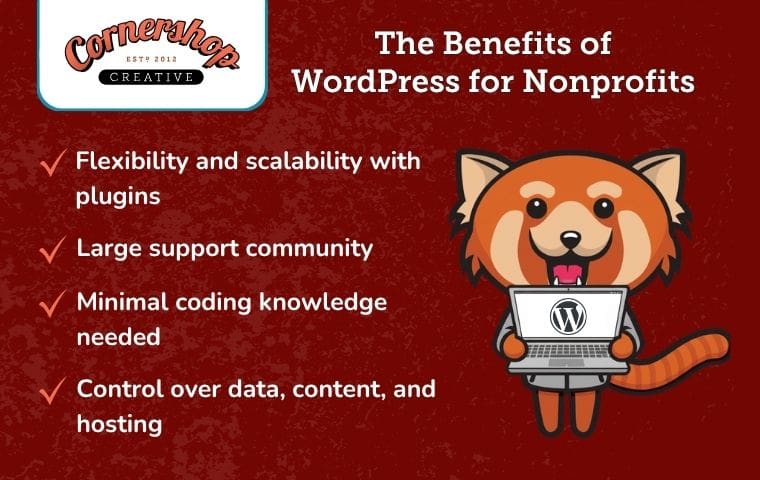
- Flexibility and scalability thanks to thousands of plugins
- A large support community
- Minimal coding knowledge needed to build your site
- Control over your data, content, and hosting
Even if you’re working with a strict budget, you can create a powerful website with WordPress by following best practices such as:
- Use free plugins wisely. Tools for SEO, forms, and caching can dramatically improve performance.
- Prioritize clarity over complexity. A simple site that loads quickly often converts better than a complex one.
- Keep content fresh. Regular updates signal activity and credibility to both donors and search engines.
A well-optimized WordPress site serves as a helpful destination for the traffic you drive and the stories you tell across all your other channels. By investing in a solid digital foundation now, you ensure your nonprofit has a scalable home that can grow right alongside your mission.
4. Google Analytics: Tracking Results
When your nonprofit’s budget is tight, data becomes even more important. Google Analytics is Google’s free web analytics platform that helps nonprofits understand how people find and use their website.
Using Google Analytics for nonprofits allows you to see which channels drive results—whether that’s email, social media, or paid search—and where users drop off.
Here’s why Google Analytics matters for nonprofits:
- Reveals which marketing efforts drive conversions
- Helps avoid spending time on tactics that don’t work
- Provides data to justify decisions to leadership and board members
Beyond website monitoring, Google Analytics can also track email-related behavior, such as which pages subscribers visit or which resources they download. This insight supports smarter segmentation and more relevant follow-up messaging.
You don’t need to track everything. Focus on these key areas and strategies to get the most out of your data:
- Track newsletter signups and donation confirmations as conversions
- Monitor traffic sources to identify high-performing channels
- Use reports to share clear, high-level insights with leadership
Clear data presentation is especially important when communicating with board members. Avoid overwhelming stakeholders with metrics that don’t inform decisions—a challenge explored in 1832 Communications’ post on too much data.
Wrapping Up
Marketing on a budget doesn’t mean lowering your ambitions. With the right nonprofit marketing resources, it’s possible to build visibility, trust, and long-term donor relationships without overspending.
Tools like the Google Ad Grant, Canva, WordPress, and Google Analytics are most effective when paired with a clear strategy and consistent execution. Start by choosing one or two resources to test, then build from there.
Small, thoughtful improvements compound over time, and they can make a meaningful difference for your mission.
 With 15 years’ experience, Ira is an expert in nonprofit online communications and online fundraising. His work has resulted in increased funds and resounding supporter engagement for hundreds of organizations.
Ira oversees the Cornershop Creative project management team and works with clients to provide our clients with the best possible final product. He also manages all of our strategic engagements and helps guide nonprofits to determine their long-term strategy goals for online communications.